How a $20 camera that only wanted to gossip with a server in China ended up streaming to my browser instead — told with all the wrong turns left in, because the wrong turns are the fun part.
Richard Feynman had a line: “The first principle is that you must not fool yourself — and you are the easiest person to fool.” Reader, I fooled myself roughly nine times in one evening. Here is the honest version, potholes included. The whole thing is open source, so you can fool yourself too: github.com/nitkap01/localcamera-service.
The boring-but-important bit up front: this is a pet project, for learning and fun only. I hacked a camera I own, on my own wifi, pointed at my own ceiling. No sinister masterplan, no surveillance empire, nobody’s privacy harmed — just a curious nerd, a cheap gadget, and a Saturday night I’m not getting back. Please only ever tinker with hardware that’s actually yours.
First, a jargon decoder ring 🔍
This post is about to sling around some nerd words. Here is the whole dictionary, in plain human, so nobody gets left behind:
- Firmware — the software baked inside a gadget; its personality and rulebook. Changing it is basically a brain transplant for the camera.
- Flashing — installing that new firmware. Like reinstalling the whole operating system, but on a camera, and scarier because there is no big “undo” if you sneeze.
- The cloud — someone else’s computer, usually far away. “Phoning home” is just your camera texting a stranger’s server about its day.
- RTSP — the language security cameras speak to send video. Great for CCTV gear… but your web browser does not understand a single word of it.
- WebRTC — the magic behind FaceTime and Zoom: live video with almost no delay. We use it so the camera pops up in a browser instantly.
- MJPEG — the low-tech backup plan: basically a flip-book of JPEG photos played fast. Works everywhere, looks like a slightly wheezy GIF.
- H.264 — the clever trick that squishes video small so it does not clog your wifi. Big video in, small video out.
- ffmpeg — the Swiss Army knife of video. Convert it, crop it, rotate it, screenshot it — ffmpeg does it. The duct tape of the internet.
- SSH — a secure way to log into another computer and type commands at it, like reaching your hand through the screen. That is how I talk to the camera’s tiny brain.
- root — the “god mode” admin account that can do absolutely anything. Our camera’s root had no password, which is a bank vault with the door propped open.
- go2rtc — a little translator that takes the camera’s RTSP and hands it to the browser as WebRTC. A universal remote for video streams.
Still here? Excellent. That was the whole vocabulary quiz. There won’t be a test… but the cat is watching.
The victim (sorry — the “subject”)
Meet the first-gen Xiaomi Yi “Ants”: the little white cube that’s been quietly judging my living room for years. Model YHS-113-IR, a HiSilicon Hi3518e v200 brain, running firmware 1.8.7.0F whose entire personality is “this camera can only be used in China” and “let me just phone the cloud real quick.” Adorable. We’re going to fix that.
Five moves from “phoning home” to “actually mine”
00 · The dead end (or: humility, delivered)
I did what everyone does — grabbed the famous 2016 hack, flashed it, felt like a genius for roughly four minutes. The camera replied with the Yellow Light of Nothing: a flicker, then darkness, then… more darkness. The memory card came back completely untouched, as if the camera hadn’t even glanced at it. A firmware image from 2015 is simply the wrong outfit for a 2018 camera. As Feynman put it: nature cannot be fooled. Neither, it turns out, can a stubborn little cube. Starting over.
01 · The right firmware — and wifi without the dreaded app
The camera’s serial says 47US, which the free shadow-1/yi-hack-v3 supports as its y18 build. Two files on a memory card, power on, watch the light go yellow → blinky → solid blue, and the cloud is quietly dead. Best part: no app, no account, no scanning a QR code like it’s 2014. A tiny startup.sh on the card just joins my wifi from a config file. It connected on the first try, which I’m choosing to interpret as raw skill rather than dumb luck.
02 · RTSP over SSH — and a vault with no lock
The stock firmware has no video-streaming server, so I had to install one. Now, Feynman famously cracked the safes at Los Alamos for fun. I “cracked” a camera whose vault door was already wide open: the root account had no password at all. He would have been deeply unimpressed. Anyway — SSH in, filesystem’s writable, install goes on over the network, no card-pulling. Then two tiny details cost me a full hour and a small, non-refundable piece of my sanity:
# the two lines that gaslit me for an hour:
h264grabber -r high -m yi_home         # it is a 720p cam, NOT yi_home_1080p
export LD_LIBRARY_PATH=$PWD:/home/lib  # a library was hiding over here
./rRTSPServer -r high &
# and FINALLY: rtsp://192.168.0.143:554/ch0_0.h264
It lives! H.264, 1280×720, 25 fps. I may have said “let’s gooo” out loud to a completely empty room.
03 · A viewer of my own (because browsers refuse to play nice)
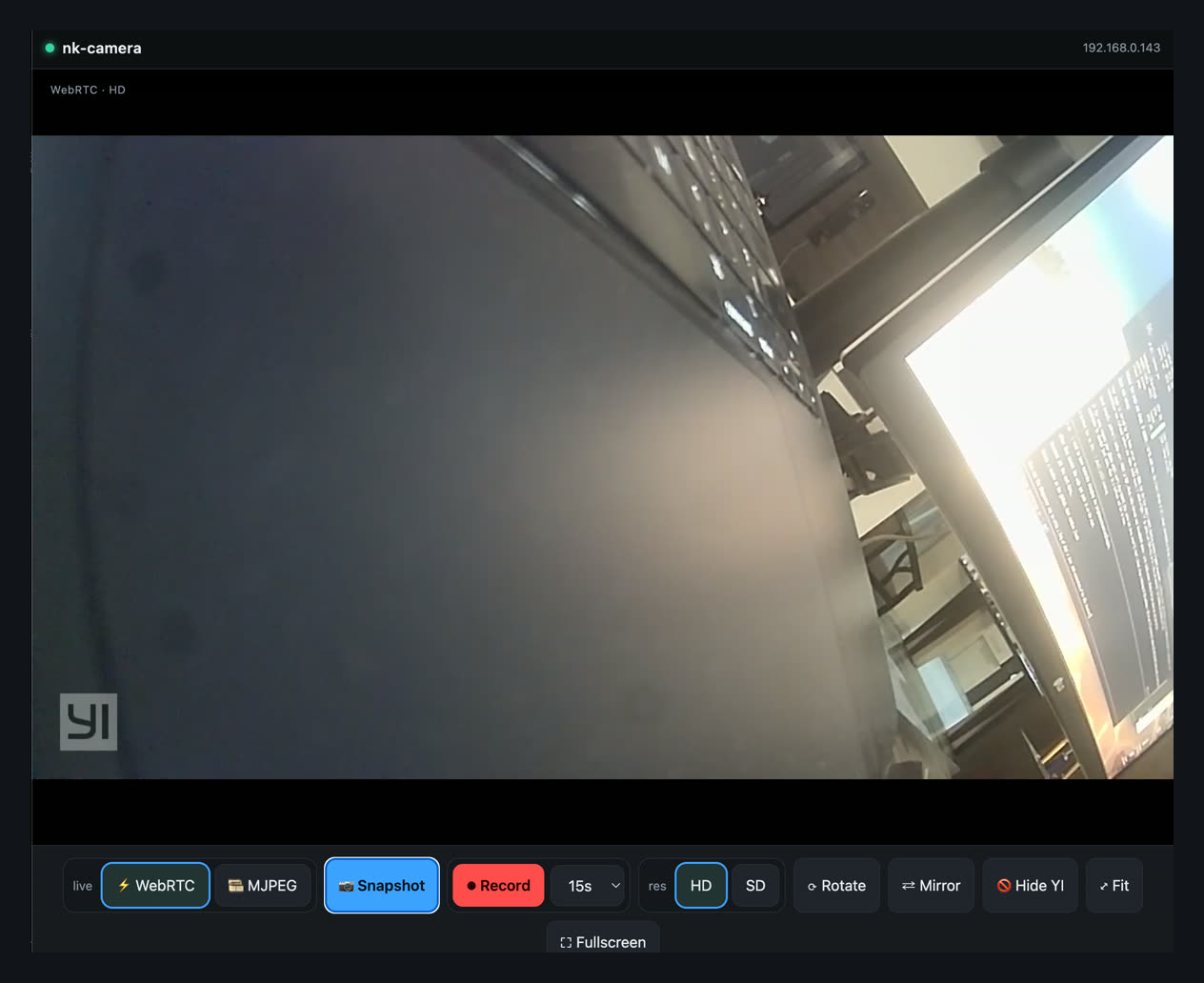
Browsers flat-out refuse to play RTSP, which is frankly rude. So a little local server sits in the middle: Node + ffmpeg for the page, snapshots and recordings, and go2rtc to translate the stream into WebRTC so it actually shows up in a browser in under a second.
browser --HTTP :8080-->  Node + ffmpeg   (page - snapshot - record)
        --WS   :1984-->  go2rtc          (RTSP -> WebRTC)
                           |
                  both ----+-->  rtsp://cam:554/ch0_0.h264
04 · WebRTC, that smug watermark, and all the knobs
Sub-second live video via go2rtc, which sulked over a cross-origin WebSocket until I whispered the magic words origin: "*". The camera also burns a little “YI” logo into every single frame like it’s proudly signing its work — there’s no setting to turn it off, so ffmpeg’s delogo filter politely smudges it into oblivion. Then the fun part: sliders for brightness, contrast, saturation and hue, plus rotate and mirror — instant on the live view, baked into anything you save. (The camera’s own low-res stream is gloriously broken, so “SD” is really just the HD feed, shrunk. Please don’t tell it.)
A small museum of things that went wrong
Feynman said that for a successful technology, reality must take precedence over public relations, because nature cannot be fooled. This camera cannot be fooled either. Here are the exhibits where it flatly refused to be:
Exhibit A · the 512 GB flex that flopped
I proudly grabbed my biggest, fanciest memory card. The camera — designed in 2015 — regarded half a terabyte the way a goldfish regards the ocean, and simply ignored it. I’d also formatted it the modern way, which to an old camera is like being handed a gorgeous book in a language it has never heard of. The fix was humbling: a dusty 8 GB card, formatted the old-fashioned way. Reality 1, my ego 0.
Exhibit B · the tempting paywall
There is a slicker, shinier fork of this hack. It is also behind a “become a supporter” wall — the live-video feature literally needs a paid license. Nothing wrong with paying the people who make good things! But the entire point was to learn, not to buy the answer key. So I took the free route: the long way, the scenic road, every pothole included. Feynman didn’t peek at the back of the book either.
Exhibit C · FTP, the door that opened into a closet
The camera runs an FTP server, which looked like the easy way to copy files onto it. It turned out to be bolted inside a tiny box that couldn’t see the rest of the machine — an “open” door that led directly into a broom closet. So I climbed in through the window instead. That window is called SSH, and suddenly the whole house was mine.
Exhibit D · the toolbox with one spoon
I wanted the video server to keep running after I logged out. The normal tool for that (nohup) simply… wasn’t installed. The camera’s Linux is so stripped-down that asking it to do a standard thing is like showing up to build a bookshelf and finding the toolbox contains exactly one spoon. The workaround was to stop fighting it and let the camera launch everything itself at boot. Do less, win more.
Exhibit E · the space that wasn’t there
Near the finish line I tried to touch up a screenshot, and the computer flatly insisted the file did not exist — while I was staring directly at it. Turns out macOS hides an invisible character in screenshot filenames (a “narrow no-break space”) that you cannot see, cannot type, and will absolutely donate an hour of your life to. I beat it by pointing at the file with a wildcard and vowing never to think about it again. Nature cannot be fooled; neither, apparently, can Unicode.
The pattern, every single time: my clever plan met the actual hardware, the hardware won, and the real fix was smaller and dumber than the one in my head. That’s not failure — that’s just how you find out how the thing truly works. Which, if we’re honest, is the entire fun. Feynman called it the pleasure of finding things out.
What it actually does now
Open a URL on any phone or laptop on the wifi. That is the entire user manual. No app to install, no account to create, no footage taking a scenic detour through a datacenter first.
- Live in any browser — WebRTC, sub-second, with an MJPEG backup plan.
- Snapshot & record — grab a photo or an MP4, straight to your device.
- Image controls — brightness, contrast, saturation, hue, rotate, mirror.
- Watermark? Gone. The “YI” logo has left the chat.
- Zero cloud — nothing leaves the house.
- Root access — turns out it is just a tiny Linux computer that happens to have a lens.
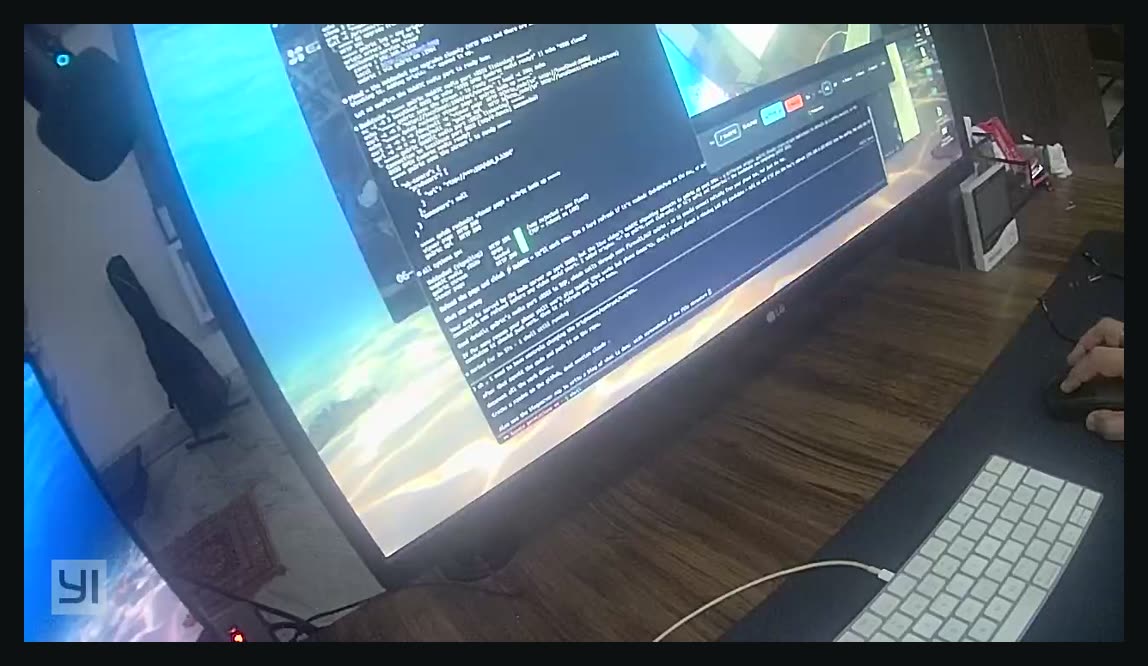
A genuinely riveting frame from the camera: my ceiling, in crisp 720p. Truly cinematic. The Academy will call any day now.
Under the hood
It all lives in one tidy repo — firmware, the SD-card bits, the host scripts, and the viewer.
localcamera-service/
firmware/            # yi-hack-v3 y18 image + fetch script
sd-card/yi-hack-v3/
  startup.sh         # the app-free wifi hook
  rtsp-start.sh      # launches the RTSP server
scripts/             # cam-ssh, cam-scp, find-camera, prep-sd
viewer/
  server.js          # node + ffmpeg: page, snapshot, record
  go2rtc/            # the webrtc engine + config
  public/index.html  # the UI
Standing on the shoulders of giants (and a lot of coffee): shadow-1/yi-hack-v3, roleo’s rRTSPServer, go2rtc, ffmpeg, and Node.
Keeping it wholesome: everything here stays on my LAN — none of these ports touch the internet, and yes, that blank root password got changed immediately. One more time for the people in the back: this is a learning project on my own gear, nothing shady, nothing sinister. Be excellent to each other, and only ever tinker with hardware you own.
Built over one evening and a deeply suspicious number of “just one more fix”es. Next on the bench: motion alerts, an always-on service, and maybe teaching it to tell my cat apart from an actual intruder. (Spoiler: it is always, always the cat.)
The whole rig is open source if you want to poke at it, break it, or point it at your own ceiling: github.com/nitkap01/localcamera-service — firmware notes, the SD-card hooks, the scripts, and the viewer, all in one repo. Pull requests, better jokes, and cat-detection algorithms welcome.